WordPress plugin · by webhoch.com

Your logo as the mouse cursor.

Turn your logo, an icon or any image into a custom cursor – as a native, lag-free browser cursor or as a smooth animated follower. Works with Divi, Elementor, the block editor and any theme.

0 KB
JavaScript in native mode
Free
full-featured, no nag screens
$24 / €24
Pro per year for 1 website, excl. VAT (coming soon)

Live demo

Move your mouse over the stage and switch mode and cursor – this is the real plugin code.

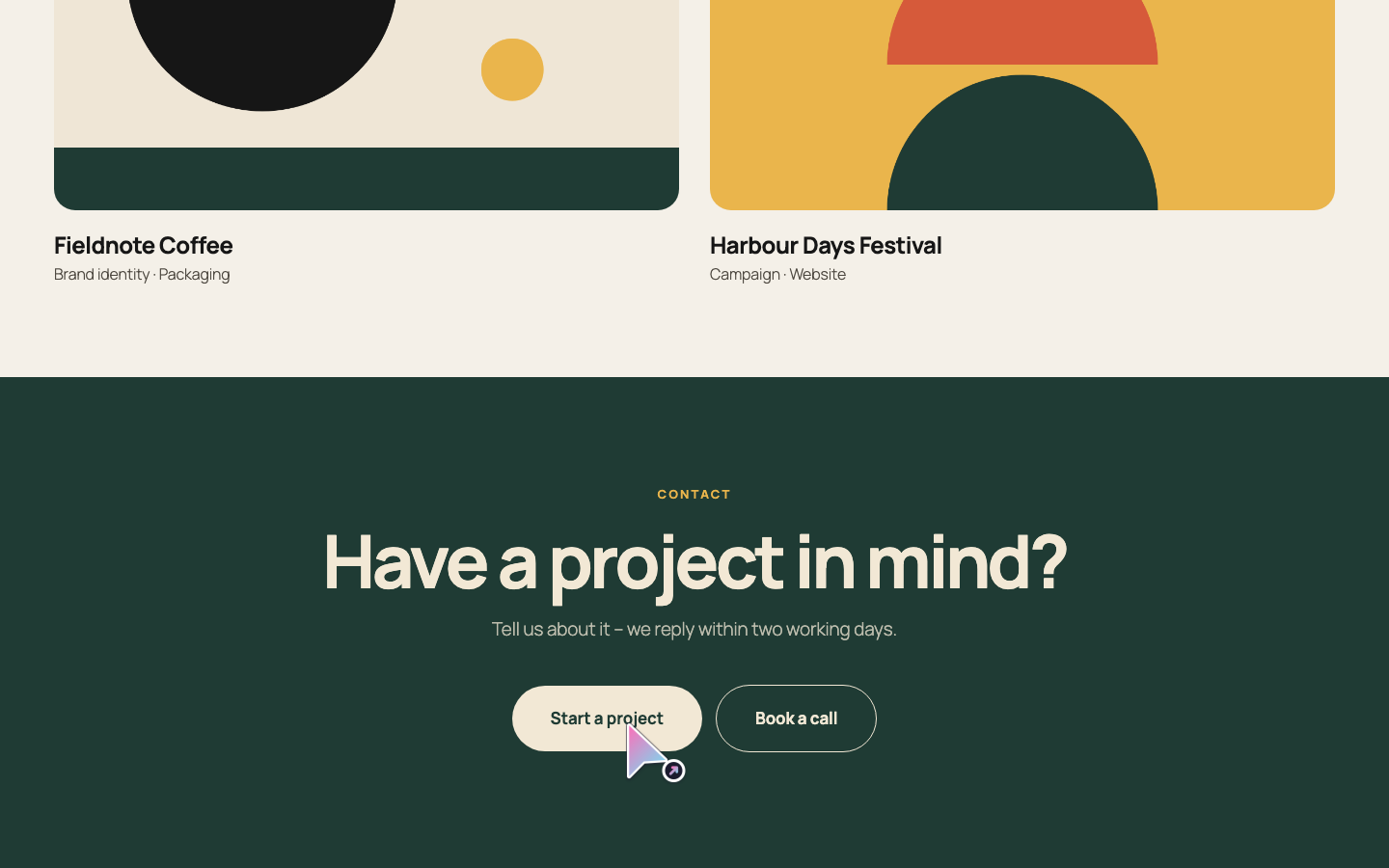
Cursora leaves touch devices alone. Phones and tablets have no mouse pointer, so there is nothing to replace. Open this page on a computer to try the live demo. This is what it looks like:

Effect mode on a website: a gradient arrow cursor with a link badge over the “Start a project” button.

Works with your stack

  • Divi
  • Elementor
  • Block editor
  • WooCommerce
  • Beaver Builder
  • Bricks
  • Any theme

Cursora stays out of the way inside page-builder editors.

Cursora in three answers

What is Cursora?

Cursora is a WordPress plugin that replaces the mouse cursor on your website with your own image – a logo, an icon or an animated GIF. Visitors with a mouse see it everywhere on your site, and links and buttons can show a separate hover image.

Who is it for?

For brands, agencies, shops and creators who want their website to feel unmistakably theirs – without code, without slowing the site down and without hurting accessibility.

What does it cost?

The plugin is free, with both modes, hover image, click point and per-page switch included and nothing locked. Cursora Pro (coming soon) adds cursor rules, hover labels, click effects and a seasonal schedule from $24 / €24 per year (excl. VAT).

Two modes. Pick the one that fits.

Both modes use your image and your hover image. They differ in how the cursor is drawn.

Native mode

A real browser cursor

  • No JavaScript, no delay – the browser draws the cursor itself
  • Up to 128 px (32 px recommended)
  • PNG, JPG, GIF or WebP, turned into a sharp PNG cursor
  • Best for small icons that should feel like a normal pointer

Effect mode

An animated follower

  • Your image follows the mouse, with optional smooth trailing
  • Up to 256 px
  • Animated GIF, WebP and SVG
  • One small script without dependencies, with a click animation

Not sure? Start with native mode for a small logo. Switch to effect mode for larger or animated images.

Built for real websites

Hover image for links

Links and buttons get their own image. Without one, visitors see the normal hand pointer, so clickable things stay recognizable.

Never two cursors

Text fields keep the text cursor, theme cursors like the grab hand are respected and embedded videos show the normal pointer.

Per-page switch

Turn the cursor off for single pages, posts or products right in the editor sidebar.

Exact click point

Set where your image clicks, with a live preview – the tip of an arrow or the center of a logo.

Touch-safe

Phones and tablets have no mouse pointer, so Cursora leaves them alone.

Accessible

Respects reduced motion, never hides the pointer if something fails to load and switches off in forced-colors mode.

Page-builder aware

Stays out of the way inside the Divi, Elementor, Beaver Builder, Bricks and Oxygen Classic editors.

Private by design

No tracking, no requests to other servers, no admin notices or nag screens.

Fast and considerate by default

0 KB
JavaScript in native mode
0
requests to other servers
Reduced motion
smooth trailing switches off automatically
Forced colors
visitors keep their own system pointer

Free and Pro

Cursora Free

$0

  • Native and effect mode
  • Hover image, size and click point
  • Smooth trailing and click animation
  • Per-page switch
  • No locked features, no nag screens
Free on WordPress.org

Cursora Pro (coming soon)

from $24 / €24 per year excl. VAT

  • Everything in Free
  • Multiple cursors with rules
  • Hover labels like “View” or “Play”
  • Click effects and trails
  • Seasonal schedule
Explore Pro

Frequently asked questions

How do I change the mouse cursor on my WordPress site?

Install Cursora, open Cursora in the admin menu, pick an image from your media library and save. The new cursor appears on your website immediately (clear your page cache if you use one).

Which mode should I choose?

Native mode for small icons that should feel exactly like a normal mouse pointer (recommended size: 32 px). Effect mode for larger or animated images and smooth trailing.

Does Cursora work with Divi and Elementor?

Yes. The cursor works with any theme and page builder. Cursora switches itself off inside the Divi, Elementor, Beaver Builder, Bricks and Oxygen Classic editors. Divi toggles, tabs, slider arrows and the mobile menu button count as clickable, and so do Elementor video overlays, Swiper carousel arrows and dots, Kadence tabs, Slick slider dots and WooCommerce gallery thumbnails, so they get your hover image or the hand pointer.

Will Cursora slow down my website?

No. Native mode adds a few lines of CSS and no JavaScript. Effect mode adds one small stylesheet and one small, deferred script without dependencies such as jQuery. Nothing is loaded from other servers.

Will visitors on phones see the cursor?

No. Touch devices have no mouse pointer, so Cursora does nothing there.

All questions and the full guide
Make your cursor part of your brand.

Install Cursora for free, pick an image and save – your new cursor is live in under a minute.